Sep 1, 2026Buying Guides
Building an AI Server with Dual NVIDIA RTX PRO 6000 GPUs
This workstation server allows companies and professional users to move demanding workloads from public cloud platforms to local infrastructure.
Building an AI Server with Dual NVIDIA RTX PRO 6000 GPUs
A customer recently contacted us looking for a powerful workstation server for local AI deployment, professional rendering, video production, and large-scale data processing.
Based on the customer’s workload, power requirements, cooling needs, and future upgrade plans, we designed the following system.
System Configuration
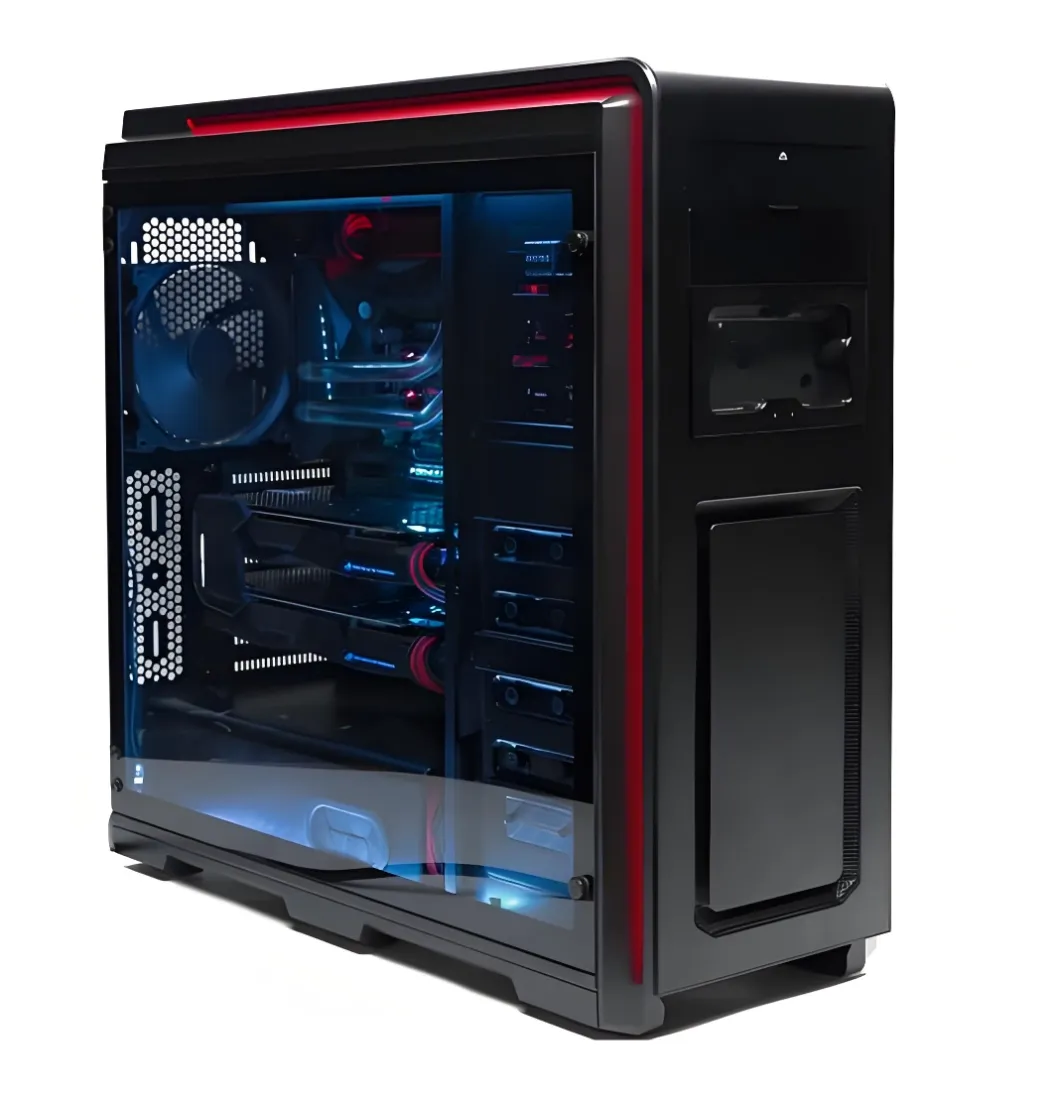
- Chassis: Phanteks PH-ES620PC full-tower case
- Motherboard: ASUS Pro WS WRX90E-SAGE SE
- Processor: AMD Ryzen Threadripper PRO 7975WX, 32 cores and 64 threads
- Graphics: 2 × NVIDIA RTX PRO 6000 Blackwell Workstation Edition, 96GB each
- Memory: 4 × SK Hynix 128GB DDR5 ECC RDIMM, 512GB total
- Storage: 4 × Samsung 9100 PRO PCIe 5.0 NVMe SSDs
- CPU Cooling: 360mm liquid cooler compatible with AMD sTR5
- Power Supply: 2700W server-grade PSU
- Networking: Intel X710-DA2 dual-port 10Gb SFP+ adapter
- Management: IPMI remote management through the motherboard’s dedicated BMC
Designed for Professional AI Workloads
The two RTX PRO 6000 Blackwell GPUs provide a total of 192GB of physical GPU memory and up to 1,200W of GPU computing power.
This system is suitable for:
- Local large language model deployment
- AI inference and model fine-tuning
- Private enterprise knowledge bases
- Retrieval-augmented generation
- AI image and video generation
- Multi-GPU rendering
- 3D animation and visualization
- 4K and 8K video production
- CAD, CAE, and engineering simulation
- Scientific computing and data analysis
- Virtual machines and containerized services
- Shared AI services for development teams
Each graphics card has its own 96GB memory pool. The memory does not automatically become one shared 192GB pool. Applications must support multi-GPU processing, model parallelism, or workload distribution to use both GPUs effectively.
One GPU can also run an AI inference service while the second handles rendering, video generation, model processing, or another independent workload.
Memory and Storage
The system includes four 128GB SK Hynix DDR5 ECC RDIMMs, providing 512GB of system memory.
This capacity is suitable for large datasets, virtual machines, CPU-based processing, AI model preparation, rendering caches, and other memory-intensive applications. Four motherboard memory slots remain available for future expansion.
Four Samsung 9100 PRO PCIe 5.0 NVMe SSDs provide high-speed storage for:
- Operating systems and applications
- AI models
- Training and inference datasets
- Project files
- Rendering and video caches
- Temporary working data
- Virtual machine storage
The drives can be assigned to separate workloads or configured with RAID where appropriate. Important business data should also be protected with a NAS, enterprise storage system, or independent backup solution.
Assembly and Cooling
The Threadripper PRO processor must be installed using the correct sTR5 carrier and torque tool. The CPU, ECC memory, and M.2 SSDs are installed before the large SSI-EEB motherboard is placed inside the chassis.
Each RTX PRO 6000 can consume up to 600W. During installation, we use:
- Separate native 16-pin GPU power cables
- Fully seated power connectors
- Proper cable-bend clearance
- GPU support brackets
- Carefully planned airflow
- Adequate spacing around both graphics cards
The CPU and two GPUs alone can consume up to approximately 1,550W. A 2700W server-grade power supply provides the necessary operating headroom, but it must include the correct motherboard, CPU, GPU, and auxiliary power connections.
If a CRPS power supply is used, it also requires a compatible PSU cage, power distribution board, and certified cable set.
Recommended airflow is:
Front and bottom intake, with top and rear exhaust.
This arrangement helps cool the GPUs, CPU radiator, ECC memory, motherboard power delivery, network adapter, and PCIe 5.0 SSDs.
High-speed industrial or ASIC fans can provide exceptional airflow, but they are also extremely loud and may draw more current than a motherboard fan header can safely supply. These fans must use a suitable high-current controller or direct PSU power.
System Setup and Testing
The WRX90 platform may take several minutes to complete memory training during its first startup. The system should not be powered off prematurely during this process.
Before delivery, we configure and verify:
- BIOS and BMC firmware
- ECC memory detection
- Both RTX PRO 6000 GPUs
- All four NVMe SSDs
- PCIe slot configuration
- Above 4G Decoding
- Resizable BAR
- Cooling and fan profiles
- IPMI remote management
- 10Gb network connectivity
The completed system is then tested under combined CPU and dual-GPU load.
We monitor:
- CPU and GPU temperatures
- Memory stability
- GPU power connections
- SSD temperatures and performance
- Network throughput
- Power supply stability
- Sustained multi-GPU operation
This testing process is essential before the machine is used for production workloads.
How This Server Improves Productivity
This workstation server allows companies and professional users to move demanding workloads from public cloud platforms to local infrastructure.
It can reduce:
- Cloud GPU rental costs
- Large dataset upload times
- Job queues and scheduling delays
- Failures caused by insufficient GPU memory
- Dependence on multiple separate workstations
- Exposure of sensitive business data to third-party platforms
With 512GB of ECC memory, four PCIe 5.0 SSDs, dual professional GPUs, and 10Gb networking, the server can support multiple users, containers, virtual machines, remote workstations, and shared AI services.
It can be deployed as:
- A local AI inference server
- A private LLM server
- A rendering node
- A remote professional workstation
- A Jupyter development platform
- A Docker server
- A video transcoding system
- A high-speed data-processing platform
Instead of purchasing a separate high-end workstation for every employee, a team can share this centralized computing resource over the network.
Custom Servers, Workstations, and Computer Hardware
At MyPCSpace, we provide customized server and workstation solutions based on each customer’s software, workload, budget, and expansion requirements.
Our solutions include:
- AI and large language model servers
- Multi-GPU compute servers
- Deep-learning training and inference systems
- Professional rendering workstations
- Video editing and transcoding servers
- CAD, CAE, and simulation workstations
- Virtualization servers
- High-speed storage and file servers
- Tower and rackmount servers
- Custom gaming and professional PCs
We also supply a wide range of original computer hardware and accessories, including:
- Graphics cards
- Processors
- Motherboards
- ECC and desktop memory
- SSDs and storage products
- Computer cases
- Cooling systems and fans
- Power supplies
- Professional and gaming monitors
- Gaming chairs
- Networking and other computer accessories
We can assist with:
- Hardware selection
- Configuration planning
- Component compatibility checks
- Professional assembly
- Cooling and airflow optimization
- BIOS and firmware configuration
- Stress testing
- International purchasing support
Worldwide Shipping
We are based in Guangzhou, China, and support worldwide shipping.
International customers can contact us with their required configuration, software, GPU memory requirements, storage capacity, budget, and destination country. We will recommend an appropriate solution and provide a customized quotation.
Contact MyPCSpace
Looking for a custom AI workstation, multi-GPU server, rendering system, professional computer, or original computer components?
Contact us for product information, technical consultation, and pricing:
- Website: www.mypcspace.com
- Email: walkerzhang19841014@gmail.com
- WhatsApp: +86 180 2851 5418
- WeChat: 1943208167
- Location: Guangzhou, Guangdong, China
- Shipping: Worldwide
Tell us what you need, and we will help you design and build a server or workstation around your actual workload.